kzSheets
Local LLM Spreadsheet Analysis
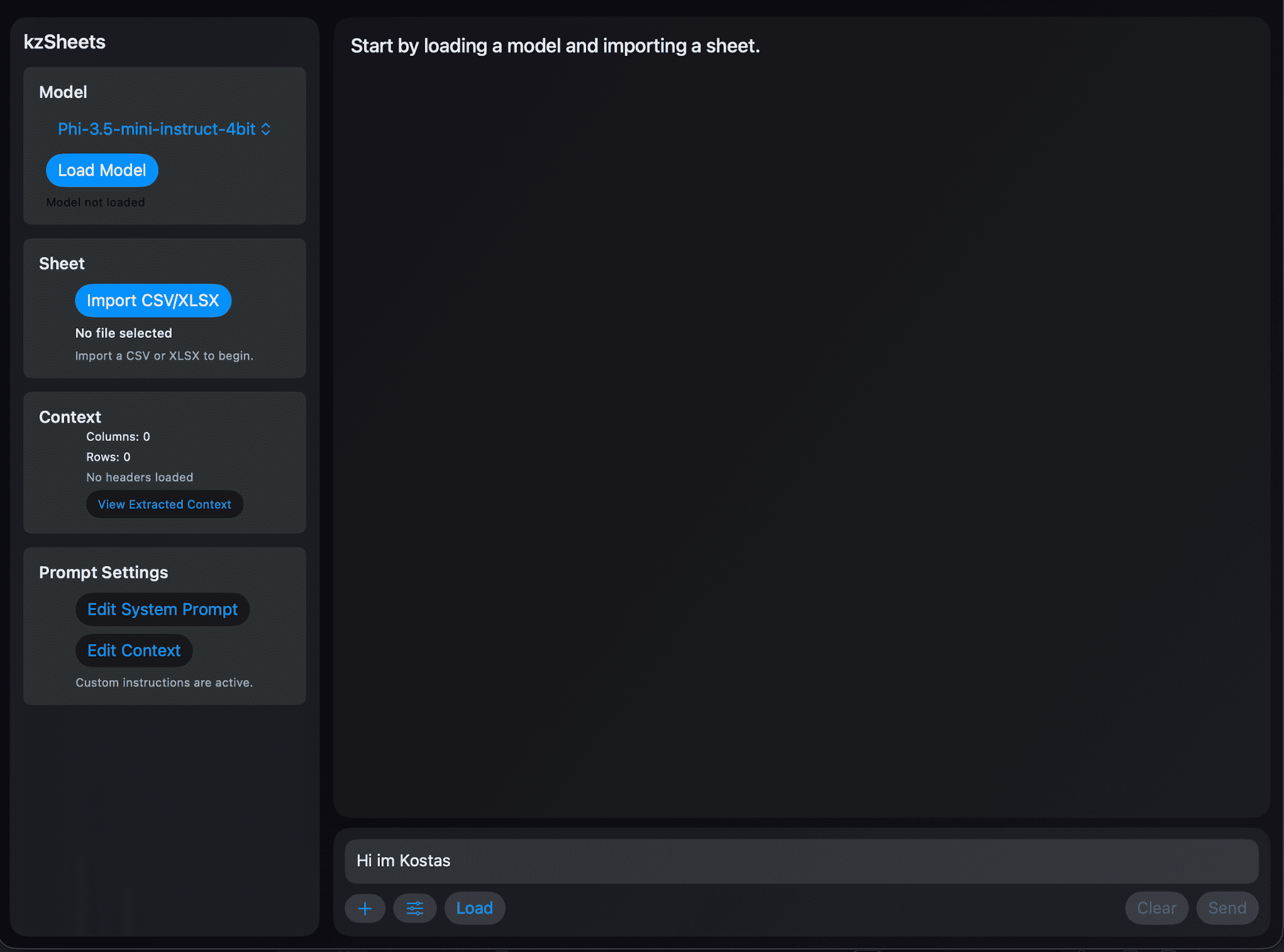
A SwiftUI app that brings local LLM-assisted spreadsheet analysis to iOS and macOS. Import CSV and XLSX files, ask questions, and get AI-generated JavaScript code that runs instantly on your device. All computation happens locally—your data never leaves your device.
Purpose
kzSheets delivers quick results for spreadsheet analysis. By leveraging local LLMs to generate code on the fly, it reduces the time needed to solve data problems.
Finding duplicate rows in a dataset is much faster when you ask an AI to write the analysis code than waiting for a human developer to manually write it. Instead of spending hours coding, you get working solutions in seconds—the model writes JavaScript, you review it, and execute it immediately.
Important: You should never trust an AI for your final decisions. Code should always be reviewed before execution.
What It Does
Privacy by Default
All computation happens locally on your device. Run language models directly. Your data never leaves your device.
Full File Support
Import CSV and XLSX files. Build context from headers and rows. Analyze data in seconds.
AI-Generated Code
The LLM generates JavaScript code inside <js>...</js> blocks. Review the code and execute it directly on your spreadsheet.
Multiple Model Options
Choose from several configured MLX models. Pick the one that works best for your needs.
How It Works
Choose a Model
Select a language model from the configured options. The app will load it locally on your device.
Import Your File
Import a CSV or XLSX file. The app builds context from headers and rows automatically.
Ask for Analysis
Type what you want to do. The AI generates JavaScript code that analyzes your data.
Review & Run
Review the generated code. If it looks good, tap Run and get instant results on your data.
Technical Details
Built With
- • SwiftUI
- • JavaScriptCore
- • CoreXLSX
- • MLX ecosystem (MLXLLM, MLXLMCommon)
Platforms
- • iOS (iPhone)
- • macOS (Apple Silicon M-series)
- • iPad/Simulator support
Available Models
The app comes with several pre-configured MLX models. Select the one that best fits your needs:
- • mlx-community/Phi-3.5-mini-instruct-4bit
- • mlx-community/DeepSeek-R1-0528-Qwen3-8B-4bit-DWQ
- • mlx-community/Qwen3-8B-4bit-DWQ-053125
- • mlx-community/Josiefied-Qwen2.5-Coder-7B-Instruct-abliterated-v1
Important Notes
This is a work in progress. The app is functional but under active development.
Always review generated code before execution. AI-generated code should never be trusted blindly.
The JavaScript runtime provides access to sheet data through headers, allRows, sheetObjects, and rawRows.
Ready to Try It?
Check out the source code and get started with local LLM-powered spreadsheet analysis.